About this skill
De-AI Your Writing
Finds the patterns that make a draft read as machine-written and fixes them without replacing your voice with a new one. Paste a post, an email, a README or a release note, or point your agent at a file.
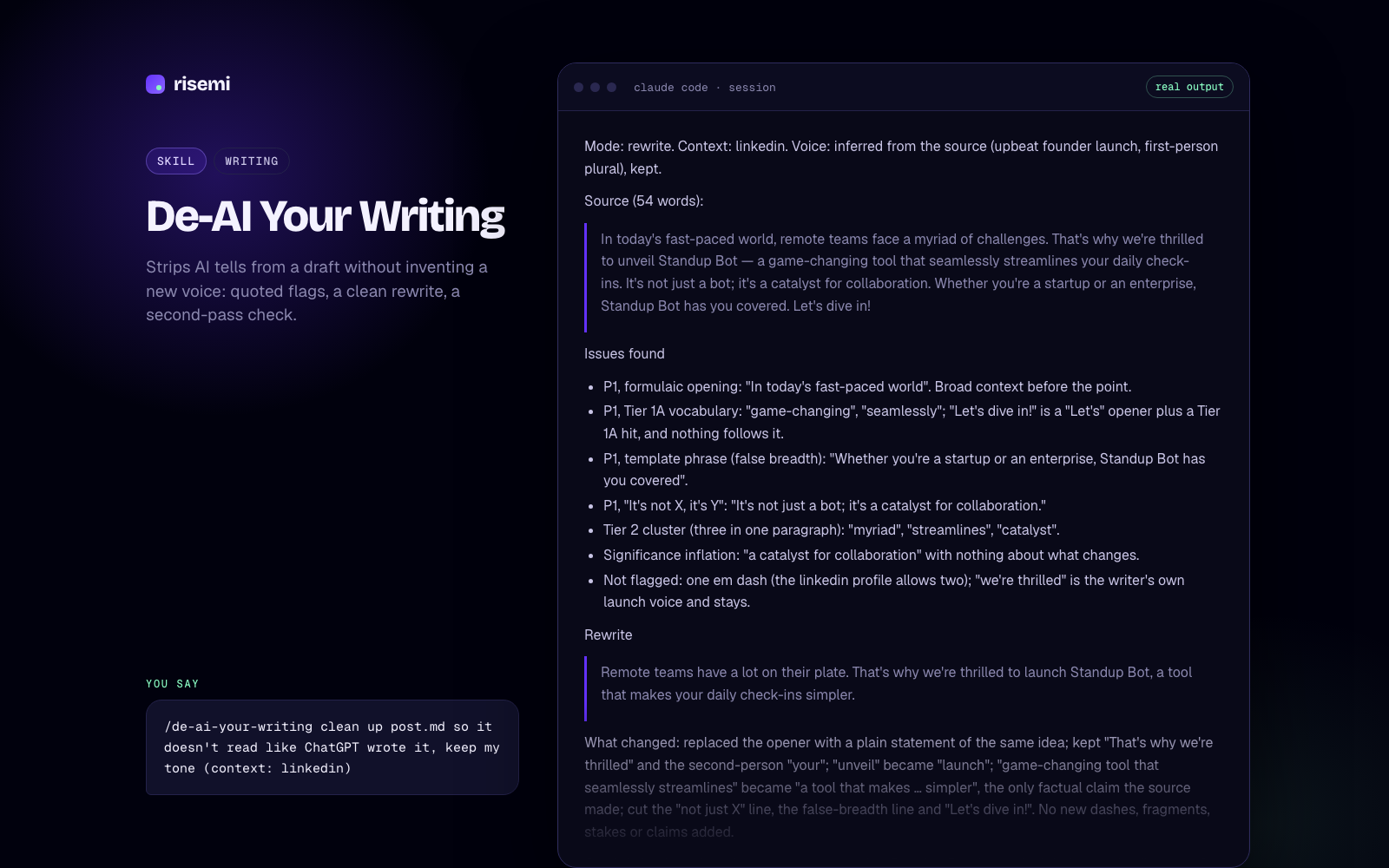
Three modes. Rewrite (default) flags each problem with the exact text quoted, returns a clean version, summarises the changes and then audits its own rewrite. Detect only flags, and separates clear problems from judgment calls, which is useful for someone else's text. Edit changes a prose file in place with minimal edits and refuses to touch code, config, quotes or tables.
What it checks. A severity-ranked pattern catalog (formatting habits, sentence structure, inflated claims, fake credibility, chatbot register, rhythm), a three-tier word list where a word like "delve" is always replaced but most words are only flagged in clusters, and context profiles for LinkedIn, blogs, technical posts, investor emails, docs and casual writing.
What makes it different. It will not add a fake "I", invented numbers, staged candor or new em dashes to sound human; anything the source did not contain stays out. It also says up front that a flag is a writing-quality signal, not proof of who wrote the text, and should never decide a hiring or academic-integrity question.
Free, so you can see how a Risemi skill installs and runs before you buy one.
Based on the avoid-ai-writing skill by Conor Bronsdon (MIT), as published in Seth Hobson's agents collection: https://github.com/wshobson/agents (original: https://github.com/conorbronsdon/avoid-ai-writing)
What we changed
- Renamed to
de-ai-your-writingand added attribution (NOTICE.md, both MIT license texts). - No changes to the instructions or the three reference files.
Checked against
Claude Code 2.1.317 (desktop app, Claude Opus 5.5), 2026-11-07. Installed under .claude/skills/de-ai-your-writing/, loaded from SKILL.md and run end to end on a LinkedIn launch post: linkedin profile, seven flags with tiers, a rewrite that kept the writer's voice, and the second pass. Every reference resolved; one sentence on file handling was added (NOTICE.md). The example output on this page is from that run, shortened. Not yet checked: automatic triggering from the skill description in a fresh session (the run started from an explicit request), and Codex, Cursor, GitHub Copilot and Gemini CLI, which read the same SKILL.md format but have not been run.
How to install
- Agents: copy the
de-ai-your-writingfolder to.agents/skills/de-ai-your-writing/(Codex, Cursor, Copilot, Gemini CLI) and/or.claude/skills/de-ai-your-writing/(Claude Code). - Zip: download the zip from this page and unpack it into one of those folders.
- ChatGPT / Claude: paste
SKILL.mdas the system prompt or project instructions and attach the three files fromreferences/.
Not affiliated with the upstream authors.