
Cursor supports agent skills: folders with a SKILL.md file that the Cursor agent loads when your request matches what the skill is for. Installing one takes a minute. You put the folder in a skills directory, make sure Cursor has picked it up, and then either let the agent use it on its own or call it with / in Agent chat.
If you are not sure what a skill is or how it differs from a Cursor rule, read what agent skills are first. The short version is below.
Skills vs Cursor rules
Cursor already has rules (.cursor/rules/*.mdc), so why skills? Rules are mostly about context that should be present when certain files are open or always. Skills are procedures: a test-first loop, a review checklist, a design process. The agent reads only each skill's name and description up front and loads the full instructions when the task calls for them.
The other advantage is portability. A skill written for Cursor uses the same SKILL.md format as Claude Code, Codex, GitHub Copilot and Gemini CLI, so you can share one folder across tools and teammates.
Step 1: Pick the folder
Cursor scans these locations:
| Scope | Folder | Notes |
|---|---|---|
| Project | .agents/skills/<skill-name>/ | Shared format, also read by Codex, Gemini CLI and others |
| Project | .cursor/skills/<skill-name>/ | Cursor-specific alternative |
| User | ~/.cursor/skills/<skill-name>/ | Available in every project |
| User | ~/.agents/skills/<skill-name>/ | Shared user folder, also read by Codex |
For compatibility, Cursor also loads skills from .claude/skills/, .codex/skills/, ~/.claude/skills/ and ~/.codex/skills/. So if your repository already has Claude Code skills, Cursor sees them without any copying.
Risemi's installer uses .agents/skills/<slug> for projects and ~/.cursor/skills/<slug> for user-level installs. Our recommendation:
- Use the project folder
.agents/skills/for skills that describe how this codebase works. Commit it. - Use
~/.cursor/skills/for personal working methods you want in every project. - Do not put the same skill in several of these folders. Since Cursor reads many of them, you can end up with duplicates.
Cursor also scans nested project folders. A skill in packages/web/.agents/skills/ applies only to files within packages/web/, which is handy in a monorepo.
Step 2: Install the skill
Ask the Cursor agent to do it
Open Agent chat in your project and paste:
Read https://risemi.io/p/frontend-design-no-slop/install.md and follow it to install the "frontend-design-no-slop" skill into this agent.Swap in the slug of the skill you want. The agent reads the product's install guide and writes the folder to the right place. Cursor will ask you to approve the file writes and any commands like any other agent action.

Use the CLI
Risemi's command-line installer is shipping this week:
npx risemi login
npx risemi add frontend-design-no-slop --agent cursor
Until it is on npm, use the agent line above or the ZIP.
Unzip it yourself
Each Risemi skill page has a ZIP. Unzip it into the skills folder:
mkdir -p .agents/skills
unzip frontend-design-no-slop.zip -d .agents/skills/
Then check the path. You want .agents/skills/frontend-design-no-slop/SKILL.md, with no extra folder level in between. The folder name must match the name field inside SKILL.md; Cursor's docs say name is required and must match the parent folder.
The same steps work for skills from GitHub or ones you write yourself.
Step 3: Make Cursor pick it up
Cursor discovers skills when it starts. If a skill you just added does not show up, reload the window (Command Palette, then "Developer: Reload Window") or restart Cursor. After that, edits to an existing skill's text are usually reflected in new chats, but reloading is the reliable fix when in doubt.
Step 4: Confirm it loaded
Two quick checks:
- In Cursor's settings, open the skills list. In recent versions it is under Customize, then Skills, where project and plugin skills appear in the "Agent Decides" section next to your rules. Menu names move between releases, so check your version's docs if you do not see it.
- In Agent chat, type
/and start typing the skill name. If it appears in the menu, it is installed.
Step 5: Use it
Let the agent decide. Describe the task normally. If it matches the skill's description, the agent loads and follows the skill. With a design skill installed, "build a pricing section for this page" should trigger it.
Call it explicitly. Type / in Agent chat, pick the skill, and write your request. This attaches the skill to that one message. Use it when you want the skill for sure.
Some skills set disable-model-invocation: true in their frontmatter. Cursor supports this field: such a skill never loads on its own and only runs when you call it with /skill-name. That is common for skills that take an action, like deploying or opening a pull request.
Cursor also supports a paths field that limits automatic use to matching files (older skills may use globs, which still works as a fallback).
Scope: app/dashboard/page.tsx and the modules it imports (components/charts, UsageCard, ProjectList, RichTextEditor, lib/api.ts).

| # | Rule | File:line | Impact | Finding |
|---|---|---|---|---|
| 1 | async-dependencies | app/dashboard/page.tsx:8-10 | CRITICAL | getProjects(user.id) and getUsage(user.id) depend only on `user` but are awaited one after the other: 3 sequential round trips before any HTML is sent, where 2 would do. Promise.all them. |
| 2 | bundle-barrel-imports | components/ProjectList.tsx:3 | CRITICAL | `import _ from 'lodash'` in a 'use client' file ships all of lodash for one sortBy. Use lodash/sortBy, or toSorted / localeCompare. |
| 3 | async-suspense-boundaries | app/dashboard/page.tsx:7-19 | HIGH | The whole page, including the static shell and RichTextEditor, waits for all three fetches. Move usage and projects into async children in <Suspense> so the shell streams first. |
| 4 | server-serialization | app/dashboard/page.tsx:16 | HIGH | The raw projects array goes to client ProjectList, which reads only id, name and status. Map to {id, name, status} on the server. |
| 5 | rerender-no-inline-components | components/ProjectList.tsx:7 | HIGH | `Row` is defined inside ProjectList, so every keystroke in the filter remounts every <li>. Interaction cost, not first load. Hoist Row. |
| 6 | rerender-derived-state-no-effect | components/UsageCard.tsx:4-5 | MEDIUM | percent is kept in state and set in useEffect: server HTML renders "0% of plan used" and the real value appears only after hydration. Compute it during render. |

Score: 62 / 100 (100 − 2×10 CRITICAL − 3×5 HIGH − 1×3 MEDIUM). This counts rule findings; it is not a measured load time.

Checked and not scored: the local charts barrel (five tiny stubs, tree-shakeable); RichTextEditor is a <textarea> today, so no dynamic import yet. Not a performance rule but it blocks the build: components/charts/index.ts re-exports names the chart files do not export, and page.tsx reads `params.id` synchronously though params is a Promise in Next 15.

What makes the first load slow, in order:
1. The server waterfall (rows 1 and 3). Parallelizing projects and usage removes one full round trip; Suspense lets the header paint after only getUser.
2. Client JS weight (row 2). A one-line import change.
3. Payload and first-paint correctness (rows 4 and 6).
Row 5 is an interaction cost; fix it after the others. Fixes were not requested, so no files were changed.- Claude Code
- Codex
- Copilot
- +2
React Performance Rules
70 prioritized performance rules for React and Next.js that your agent applies while coding and scores in review.
- Claude Code
- Codex
- Copilot
- +1
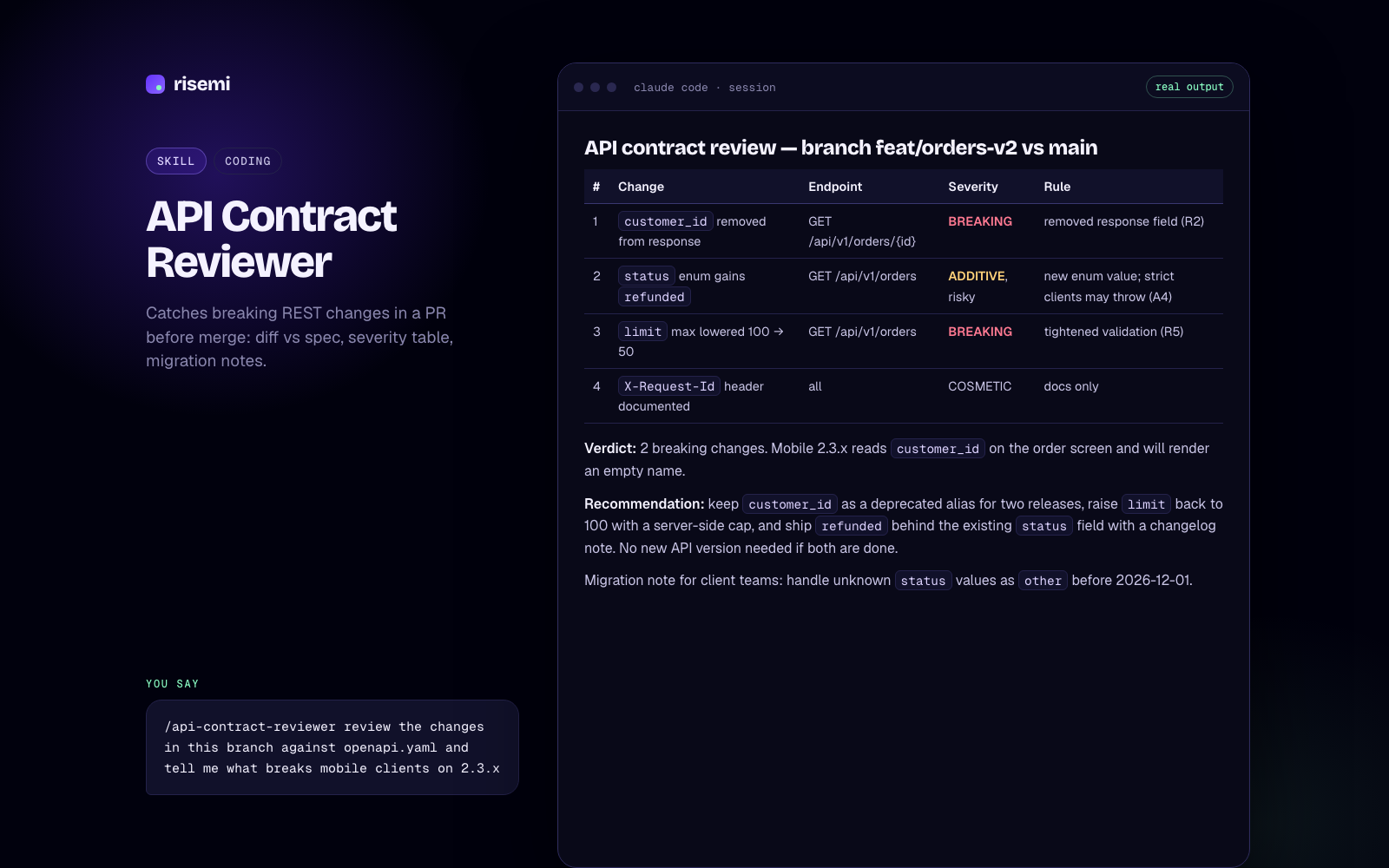
API Contract Reviewer
Catches breaking REST changes in a PR before merge: diff vs spec, severity table, migration notes.
Moving old rules and commands to skills
If you have "Apply Intelligently" rules or custom slash commands, Cursor 2.4 added a built-in /migrate-to-skills that converts them. Dynamic rules without globs become normal skills; slash commands become skills with disable-model-invocation: true. Rules set to always apply, rules with glob patterns, and user rules are not converted. The generated skills land in .cursor/skills/ for you to review. Treat the output as a draft and read the descriptions, because they decide when each skill fires.
Troubleshooting
The skill does not show up
- Check the exact path:
<skills folder>/<name>/SKILL.md, withSKILL.mdin capitals. - Look for a doubled folder from unzipping.
- Make sure
namein the frontmatter matches the folder name, in lowercase with hyphens. - Reload the window. Cursor scans at startup.
It shows up but never triggers automatically
Read the description. The agent decides from that text alone. A vague description ("Helps with frontend") gives the agent nothing to match. A good one says what the skill does and when to use it, in the words you actually type. Our guide on how to write a SKILL.md covers this. Also check that disable-model-invocation is not set to true.
It shows up twice
You probably have the same skill in two folders Cursor reads, for example .agents/skills/ and .claude/skills/. Keep one.
It triggers on everything
Narrow the description, add a paths pattern, or set disable-model-invocation: true and call it by hand.
Next steps
Browse skills that work in Cursor or the Cursor catalog. If your team mixes tools, see Claude Code vs Cursor skills, and the Claude Code install guide or Codex install guide.